
Tasks
Define a task#
import { task } from "@trigger.dev/sdk";

export const helloWorld = task({
  id: "hello-world",
  run: async (payload: { message: string }) => {
    console.log(payload.message);
  },
});
Output: a task named hello-world that logs the payload when triggered.
The id identifies the task in the project. The run function contains the work. Values returned from run must be JSON serializable.
Trigger a task#
const handle = await helloWorld.trigger({ message: "Hello world!" });
console.log(handle.id);
Output: a run handle with an ID.
You can also trigger tasks from the dashboard or from backend code. See Triggers and schedules.
The run lifecycle#
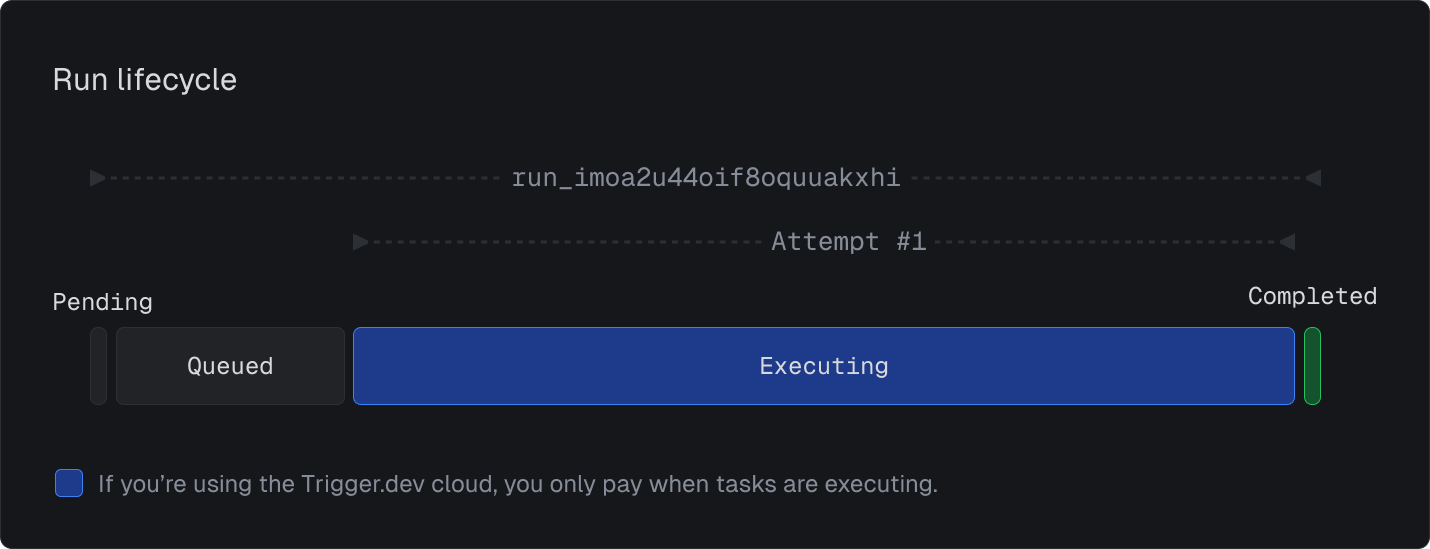
Every trigger creates a run. A run waits in its queue, executes, and ends in a final state such as completed, failed, or canceled.
Add retries#
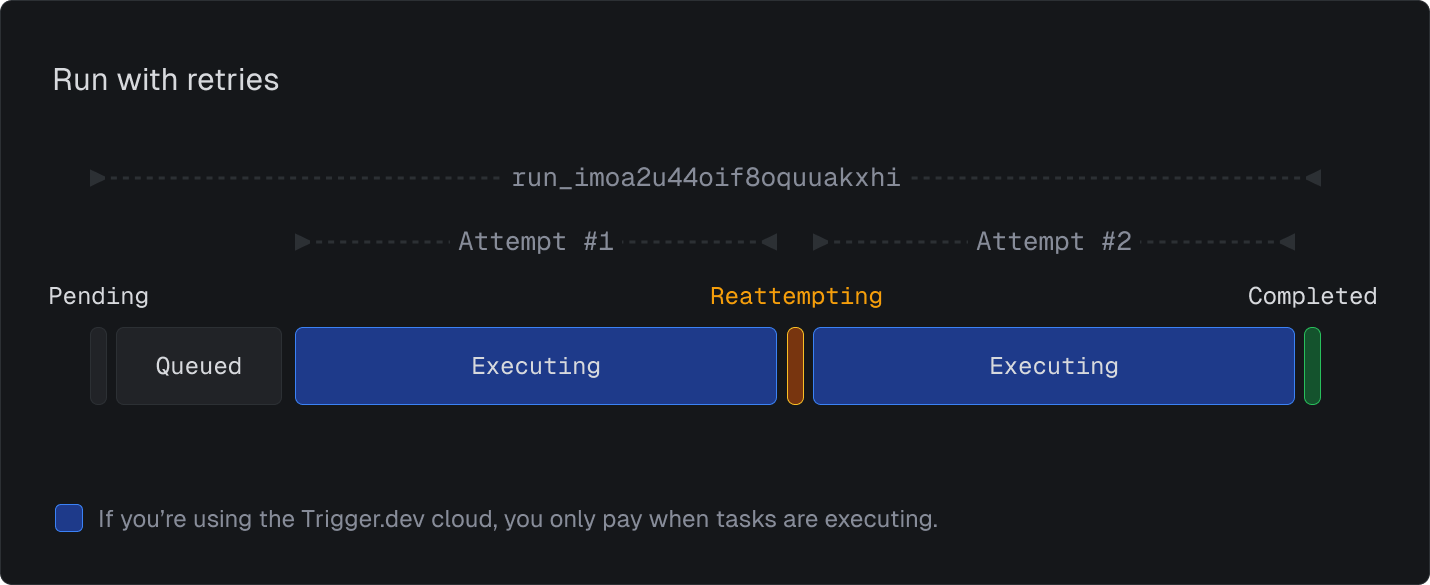
A task retries when an error is thrown. The public task reference documents configurable attempts and exponential backoff.
export const resilientTask = task({
  id: "resilient-task",
  retry: {
    maxAttempts: 10,
    minTimeoutInMs: 500,
    maxTimeoutInMs: 30_000,
    factor: 1.8,
    randomize: false,
  },
  run: async () => {
    // work that may fail
  },
});
Output: failed attempts retry with the configured policy until the run succeeds or reaches its attempt limit. Each attempt stays visible inside the same run.
Control concurrency#
Queues let you run tasks one at a time, in parallel, or with custom concurrency keys.
export const oneAtATime = task({
  id: "one-at-a-time",
  queue: { concurrencyLimit: 1 },
  run: async () => {
    // work
  },
});
Output: only one run executes at a time for this queue.